
A: You are welcome to use the known contact possibilities to request advice. We have experienced experts who can certainly cover your requirements.
2: I have a problem with my M365 services. How do I proceed here?
A: Please open a ticket in our ticket system. We will be pleased to support you with your request.
3: I can’t log in to provideNow. What do I have to do?
A: Please make sure you have verified your email address in the service portal:
- Log in to the service portal: https://Services.all-for-one.com.
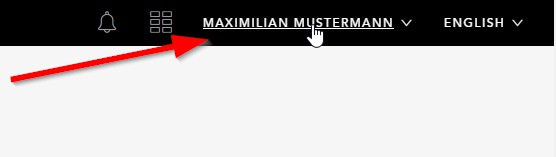
- Click on your name in the top right corner of the service portal
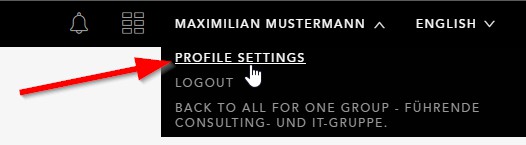
- Then click on profile settings
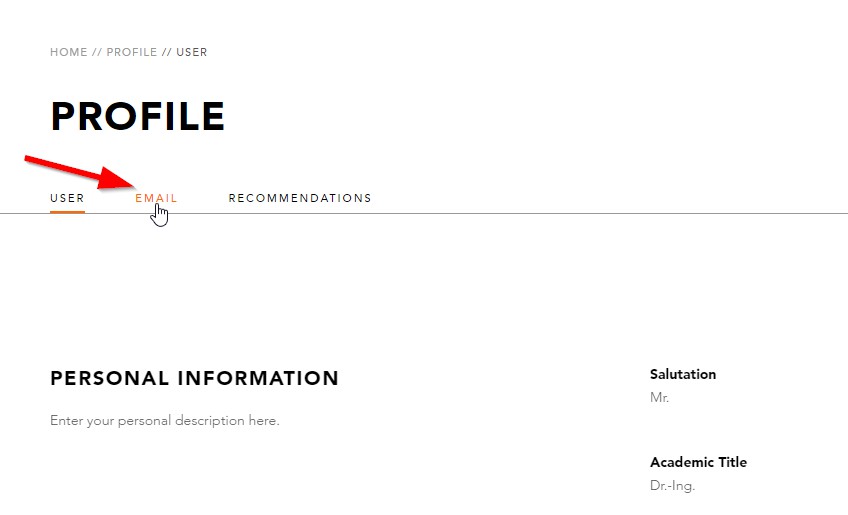
- Click at Profile on E-MAIL
- You should see that the mail address is not verified. Click on Edit.
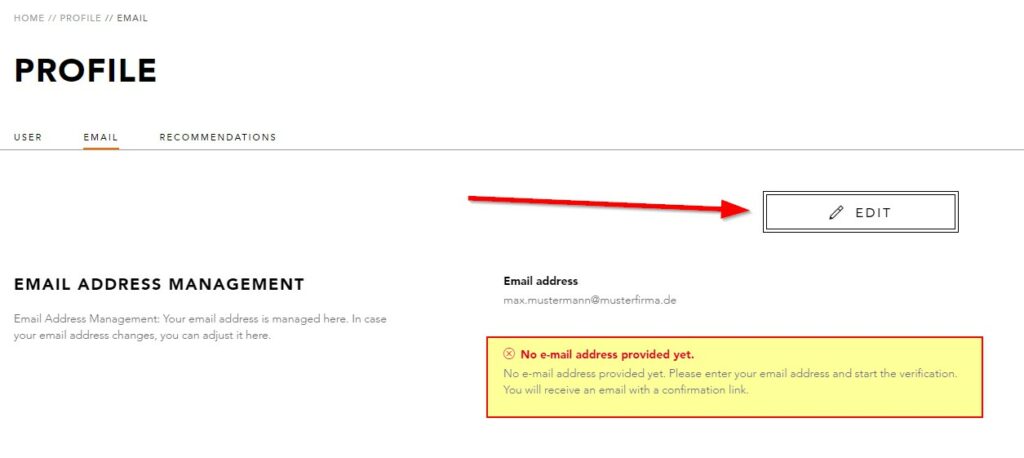
- Enter your email address and save the process.
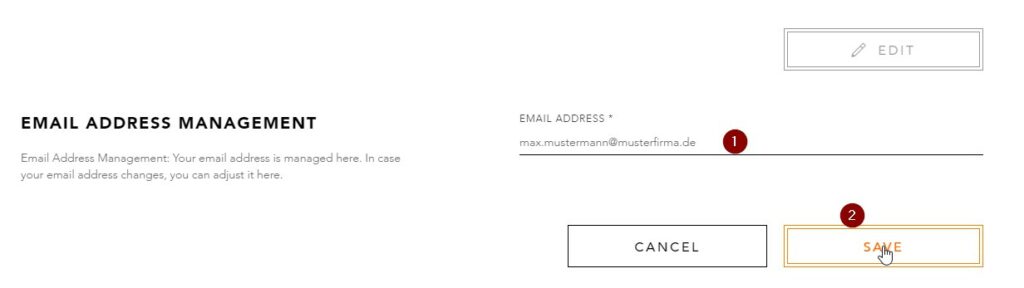
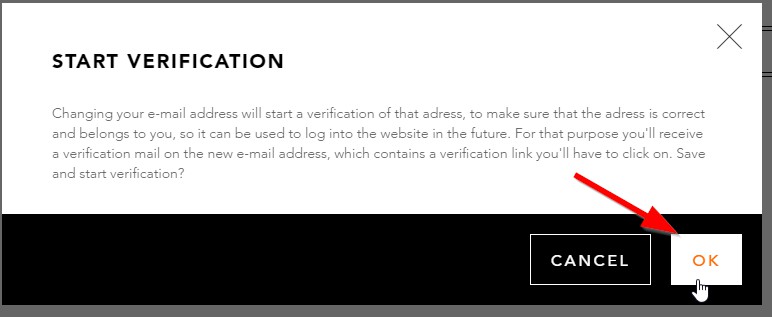
- Click OK to start the verification.
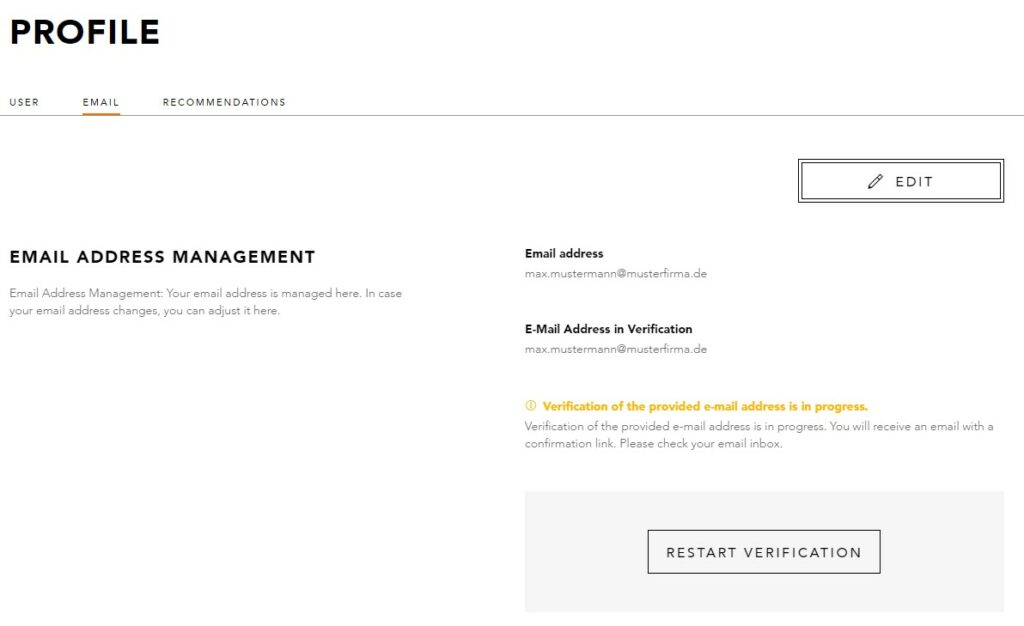
- You should receive a mail to verify your email address. After you have verified your email address, you should see the following in the service portal:
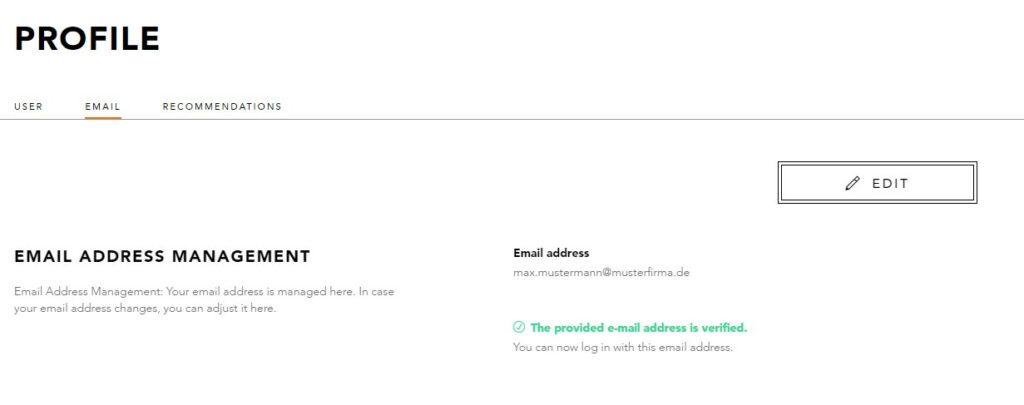
Logging in via the provideNow tile should work now as usual. If not, please open a ticket in the Ticketsystem.